Icon of program: DesktopRecorder

DesktopRecorder for Mac

Free Download for Mac

View an ad to download for free

Free Video Streaming Software for Mac

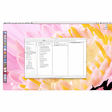
DesktopRecorder is a multimedia application designed for Mac users, enabling seamless streaming of videos. This free program falls under the category of video streaming, providing users with an intuitive interface to capture and share their screen activities. Its straightforward functionality allows for easy recording of live streams, tutorials, or gameplay, making it an essential tool for content creators and educators alike.

Unlock your creativity with Adobe Stock

Get 10 images or 1 video with a free trial

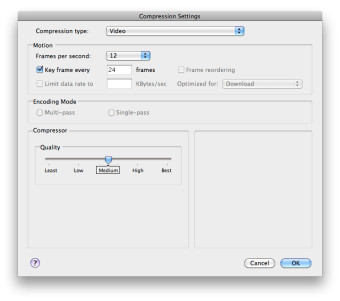
The application offers a variety of features that enhance the streaming experience, such as customizable recording settings and the ability to save recordings in various formats. Users can easily manage their recordings and share them across different platforms. With DesktopRecorder, Mac users can efficiently create high-quality video content without the need for complex setups or expensive software.

 0/3

App specs

  • Developer

  • License

    Free

  • Version

    1.0

  • Latest update

  • Platform

    Mac

  • OS

    Mac OS X

  • Language

    English

  • Downloads

    51K

  • Size

    298.82 KB

Program available in other languages


Icon of program: DesktopRecorder

DesktopRecorder for Mac

Free Download for Mac

View an ad to download for free


User reviews about DesktopRecorder

2.5

2 reviews

Add review

Main reviews for you

  • Anonymous user

    Not Too Bad, 4 STARS. Awesome! It works really well, and I use it to record for my YouTube channel. However, the biggest downsides are:-Videos take up a TON of space (I took one that is 16 minutes long and it took up 1 gig!)-The 'Low-Def' is really bad. I can't really play many demanding games while screencasting, because the high-def seems to slow it down a ton and the low-def is much too glitchy and slow to post on YouTube.

  • Anonymous user

    Functions as expected. Two thumbs up.. This is great! While it does not record sound, and automatically records at full screen resolution, you can't beat free. This does exactly what I need it to. It can record at 24 or 30 fps as well as many others and at varying qualities to the destination you choose.

More

You may also like

Alternatives to DesktopRecorder

Explore Apps

Latest articles

Laws concerning the use of this software vary from country to country. We do not encourage or condone the use of this program if it is in violation of these laws. Softonic does not encourage or condone the illegal streaming, duplication or distribution of copyrighted content. You are solely responsible for any use of the service.
Softonic

Is DesktopRecorder safe?

100/100

Score result: Clean

This file passed a comprehensive security scan using VirusTotal technology. It is safe to download.

  • Virus free
  • Spyware free
  • Malware free
  • Verified by Security Partners

    VirusTotal logo

Scan Info

Last scan
Tuesday, April 30, 2024
Scan provider
VirusTotal · Full report

File Integrity

File
DesktopRecorder1.0.zip
SHA256
447128ecdb8be2e3a5a7e3df8e7cd58a1583cb2ff78f63850f96722907bcafe6
SHA1
26bbf286e2038f3f1b8bfd9b317dc00b17759d0a

Softonic security commitment

DesktopRecorder has been thoroughly scanned by our advanced security systems and verified by industry-leading partners. This file comes from the official developer and has passed all our security checks, showing no signs of viruses, malware, or spyware. For more information, visit our Security and Trust Center

Signed in to Softonic as